Research & Discover




Information architecture
Wireframing
Visual Design
Usability testing
Journey map
visualizes the end-to-end user experience, highlighting actions, emotions, pain points, and opportunities across each touchpoint.
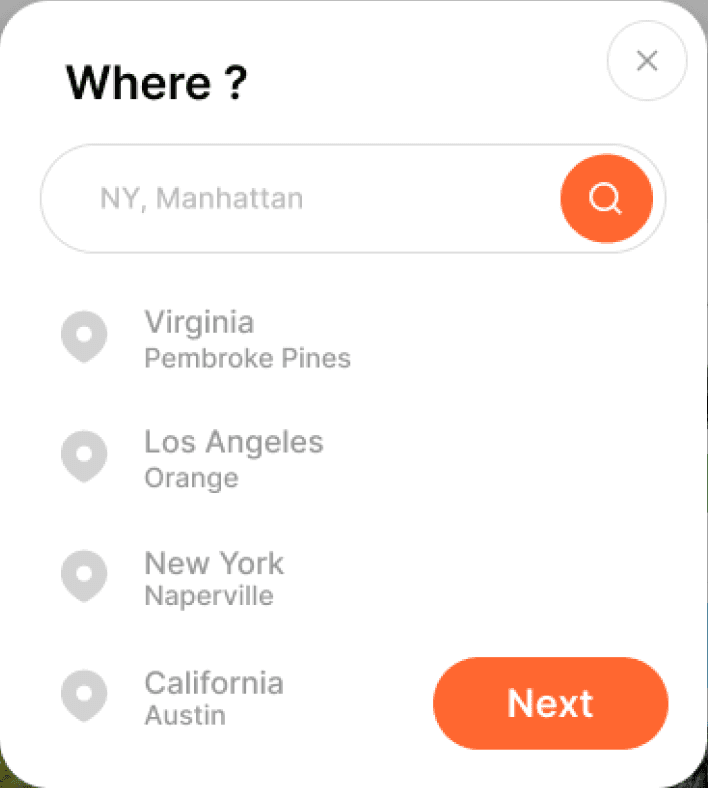
Expecting fast, accurate results with intuitive guidance to quickly identify the right destination and dates using simple, effective filters.
Opens the search bar
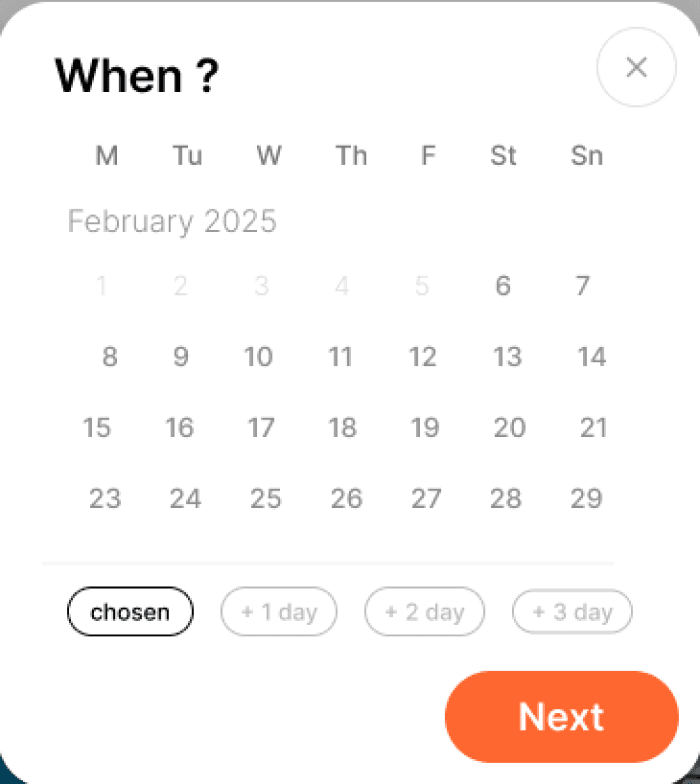
Types location /date /filters
Uses autocomplete suggestions
Adjusts filters price, rating, amenities
Submits search.
Concern about safety, unable to find closest place to main locations they want to visit on a map.
Advancing maps. Maps that contain information about local safety and emphasized touristic locations, museums, attractions and etc..
Evaluating options based on value, safety, and overall fit by quickly comparing prices, ratings, amenities, and reviews to identify meaningful differences.
Browses multiple options, opens listings for details, switches between list and map views, compares prices and ratings, reviews feedback, saves favorites, and toggles between a few top choices.
Too much info, overloaded screens, misleading and unnecessary information can mislead. All od these make process longer and exhausting.
Focus on clear hierarchy by highlighting key information, removing unnecessary details, and avoiding visual overload.
“Does this really match what I want?”
“Is the price final or will it increase?”
“Is the location safe and convenient?”
Concerned about distance and safety, unsure about accuracy, and overwhelmed by long descriptions, confusing pricing, and excessive details.
Concerned about location and safety, unsure about accuracy, and overwhelmed by long descriptions, unclear pricing, and excessive details.
Provide clear contact options, concise feedback, safety ratings, and distance, offering precise, essential information and an overall summary to avoid confusion.
“Is this the final price?
“Is my payment secure?”
“Did I choose the right dates?”
“Can I cancel if something changes?”
Scrolls through options, opens listings for details, switches between list and map views, compares key attributes, reads reviews, saves favorites, and revisits top choices.
Users are frustrated at checkout by unexpected fees, forced account creation, confusing forms, unclear errors, and vague cancellation policies.
Clear summary, supported payments, no hidden fees, transparent cancellations, explained errors, and simple entry process.
Did my payment go through?
“Do I have all the information I need?”
“Where do I find this later?”
“What are the next steps?”
Users feel uncertain after booking due to unclear confirmation details, missing guidance on next steps, and limited access to booking, hotel, or cancellation information.
Users feel uncertain after booking due to minimal confirmation, missing or unclear information, and limited access to booking, hotel, or cancellation details.
Confirmation screen showing payment success, next steps, booking and hotel details, with easy contact, feedback options, and simple cancellation.
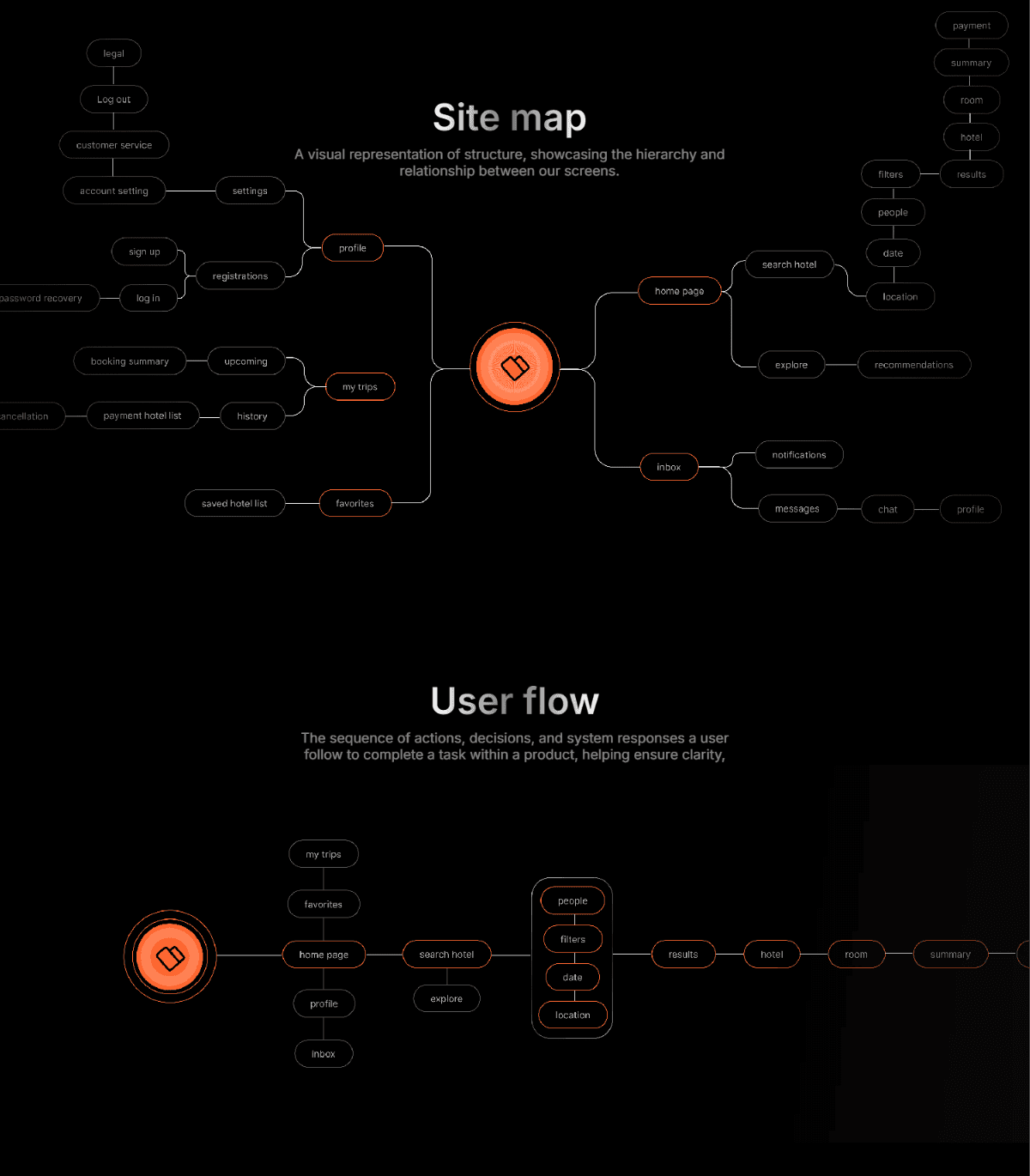
User flow
The sequence of actions, decisions, and system responses a user follow to complete a task within a product, helping ensure clarity, efficiency, and a smooth experience.
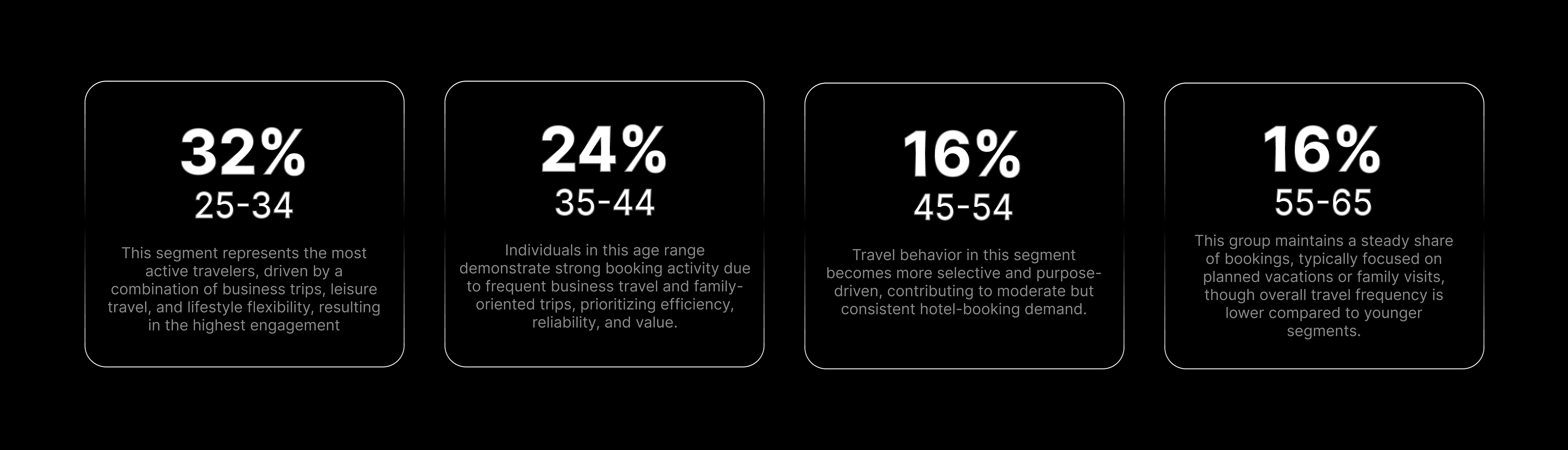
Target audience
The specific group of users the product is designed for, defined by their needs, behaviors, and goals.
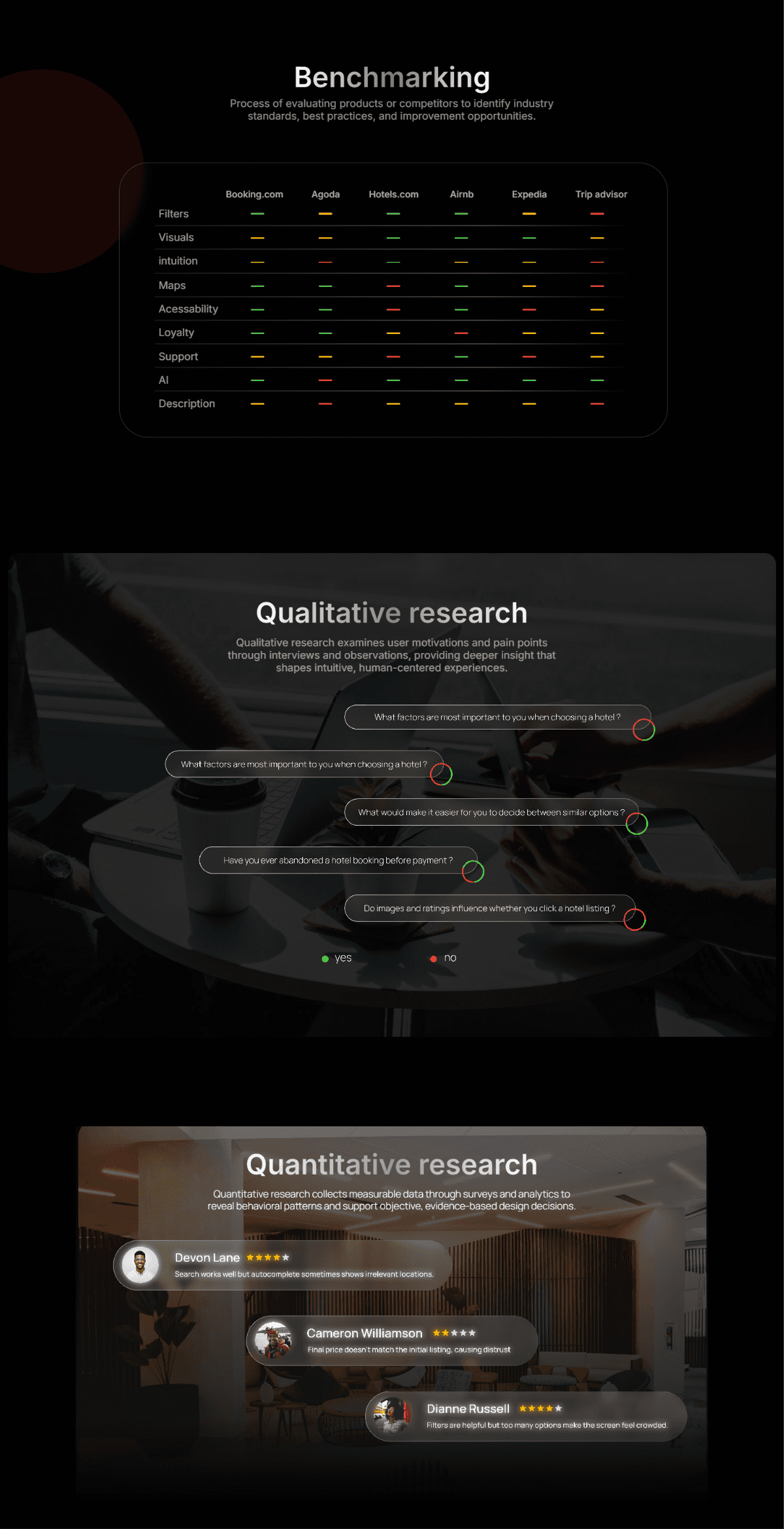
Benchmarking
Process of evaluating products or competitors to identify industry standards, best practices, and improvement opportunities.
Booking.com
Agoda
Hotels.com
Airnb
Expedia
Trip advisor
Filters
Visuals
intuition
Maps
Acessability
Loyalty
Support
AI
Description
Quantitative research
Quantitative research collects measurable data through surveys and analytics to reveal behavioral patterns and support objective, evidence-based design decisions.
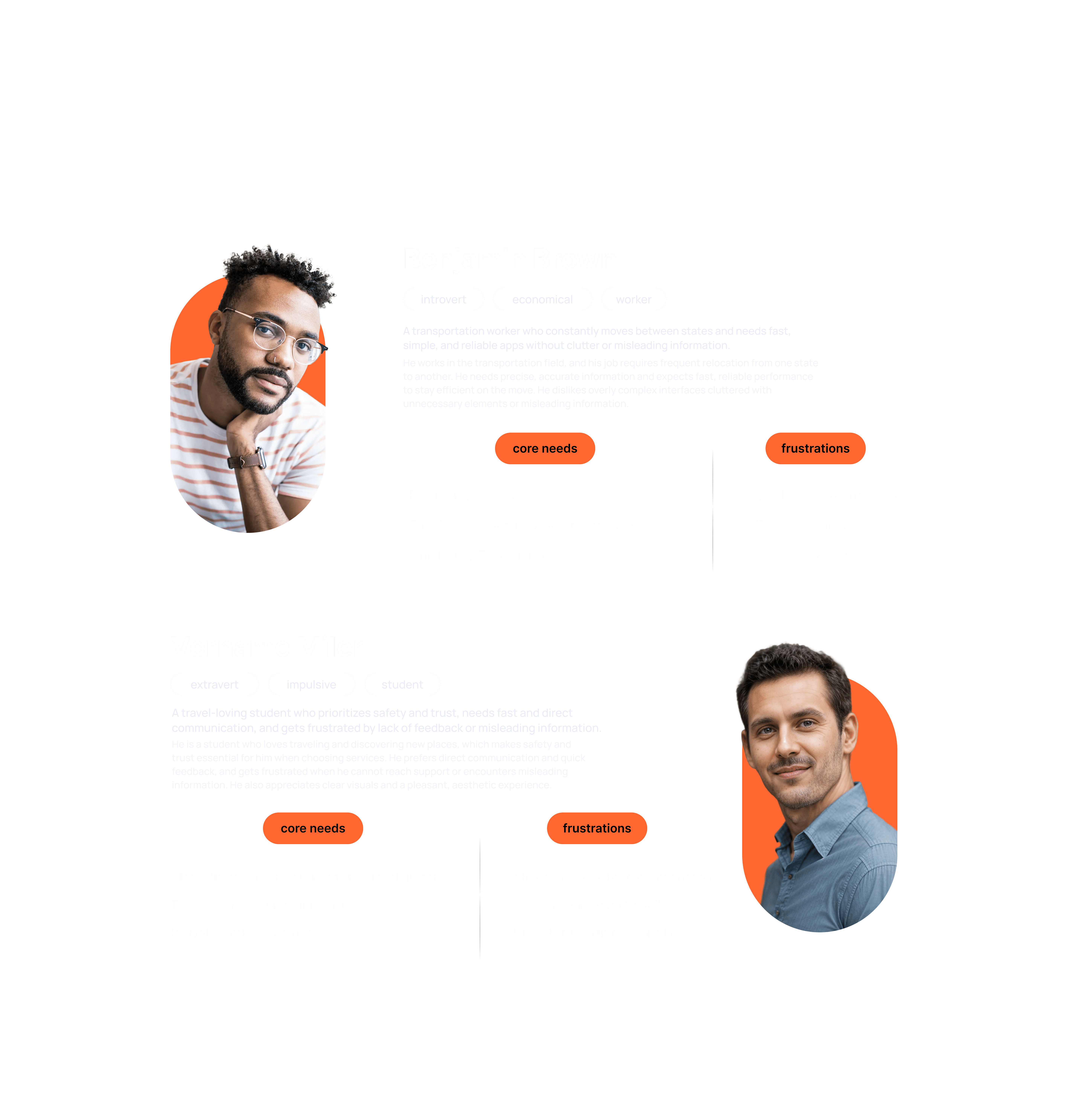
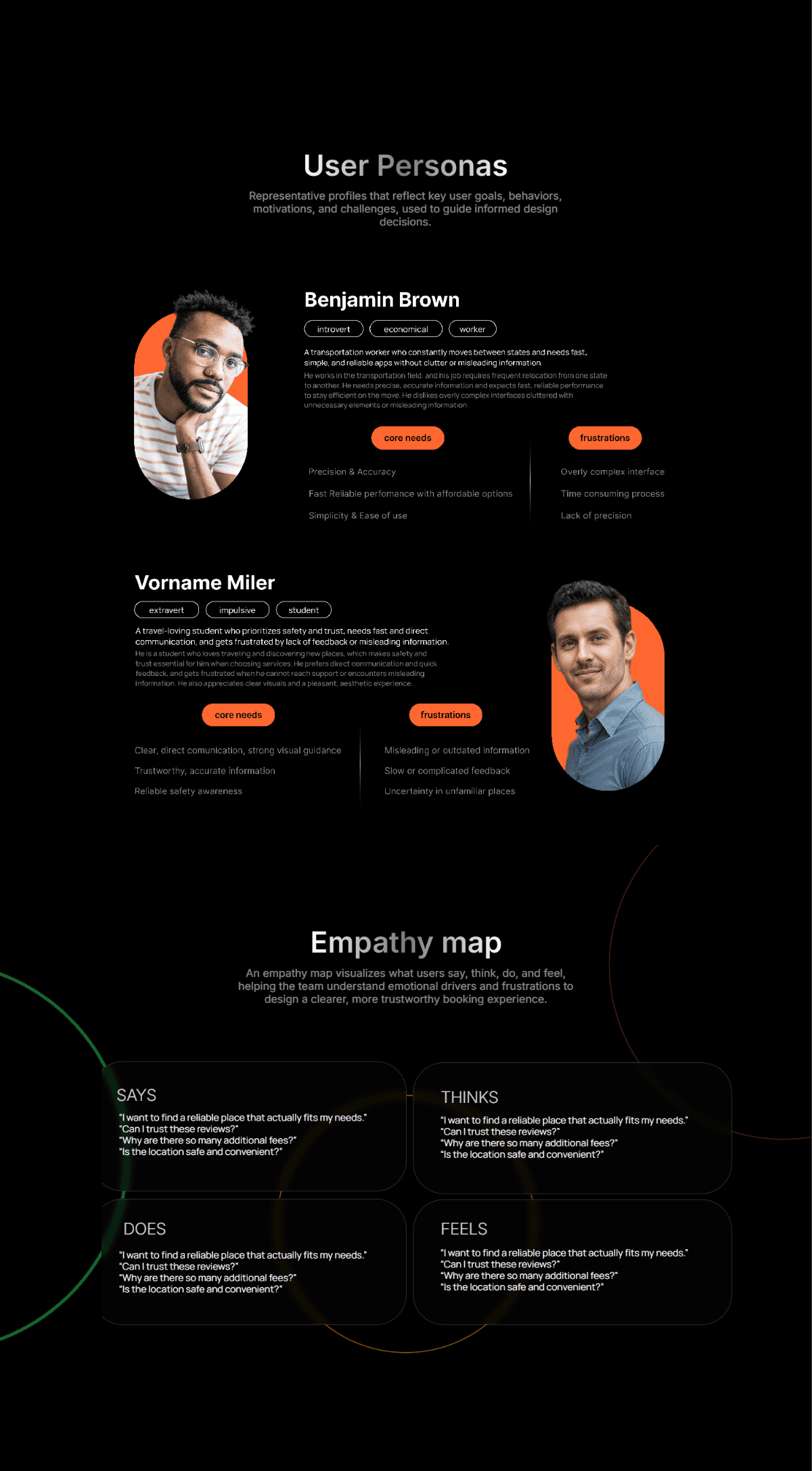
User Personas
Representative profiles that reflect key user goals, behaviors, motivations, and challenges, used to guide informed design decisions.
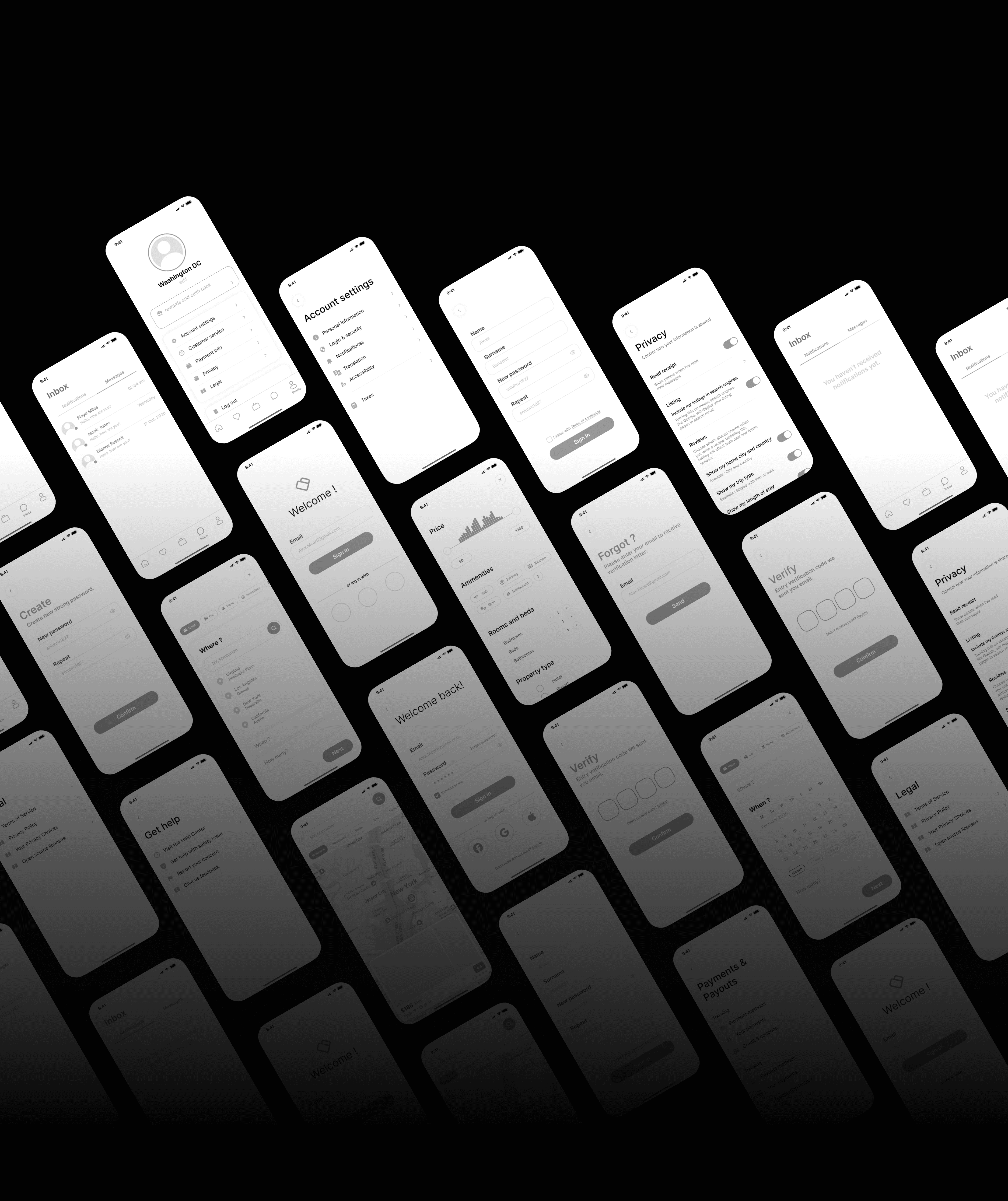
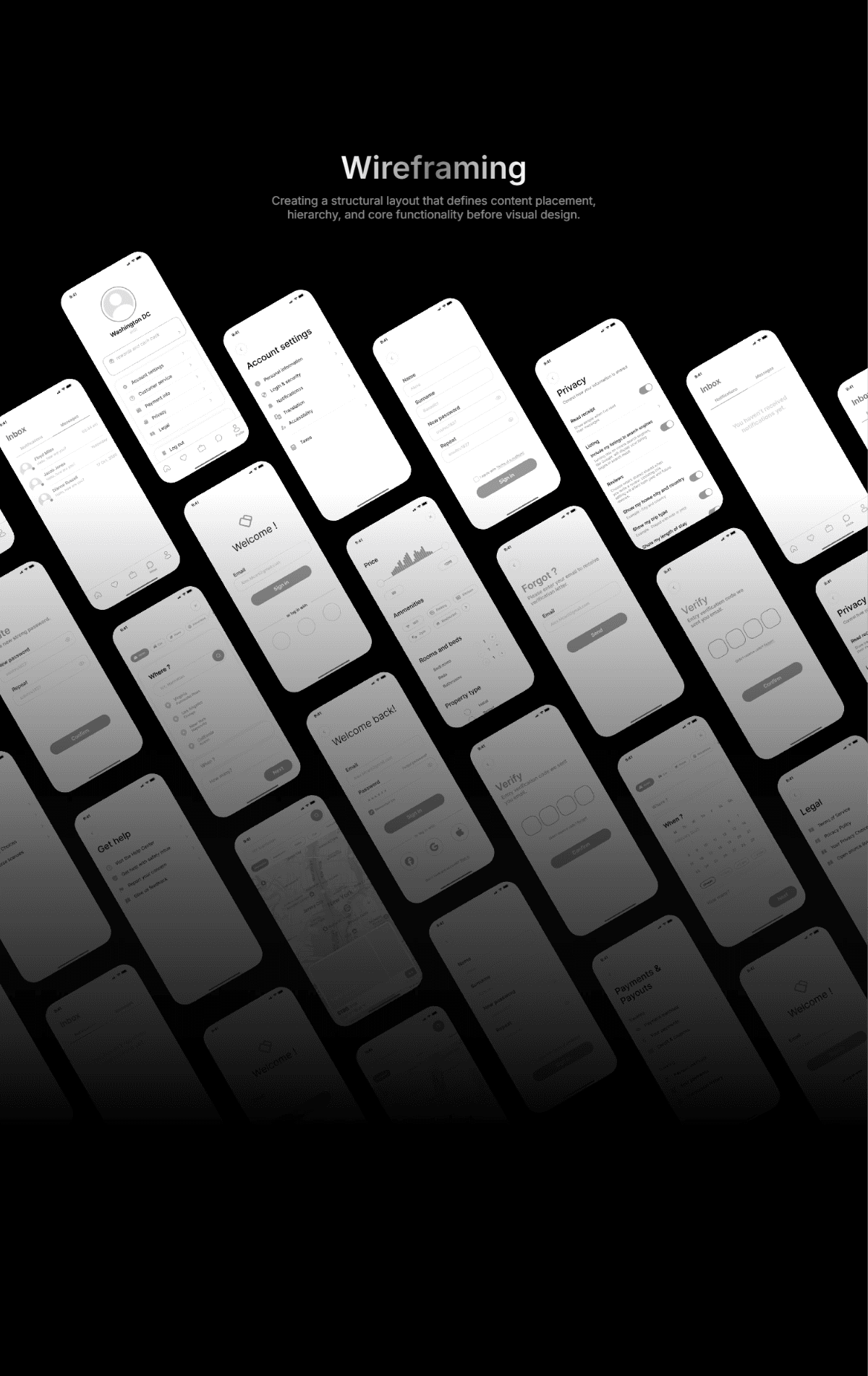
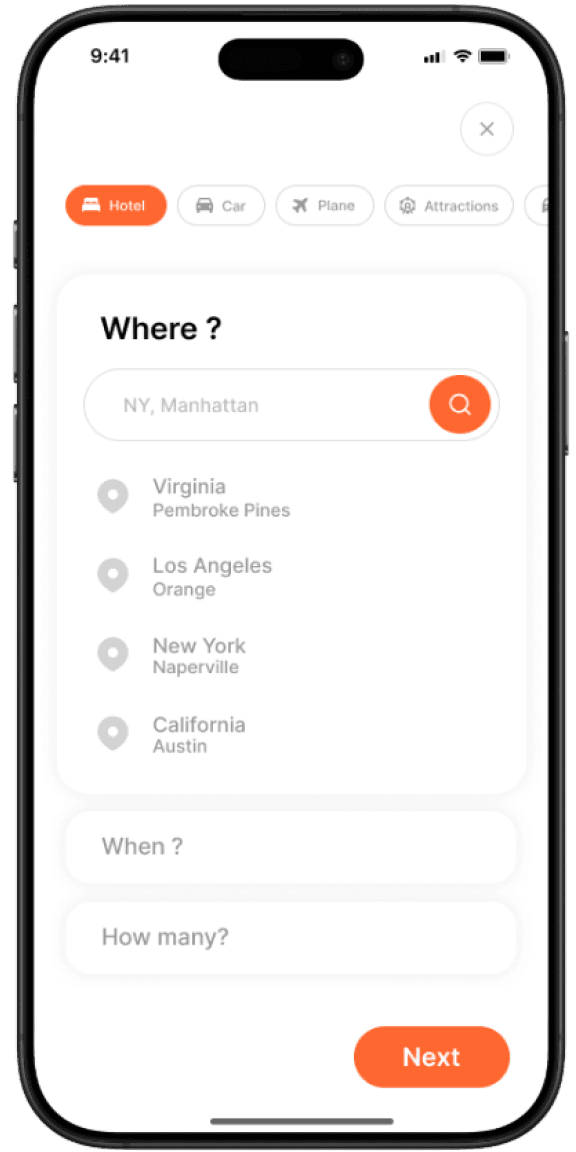
Wireframing
Creating a structural layout that defines content placement, hierarchy, and core functionality before visual design.
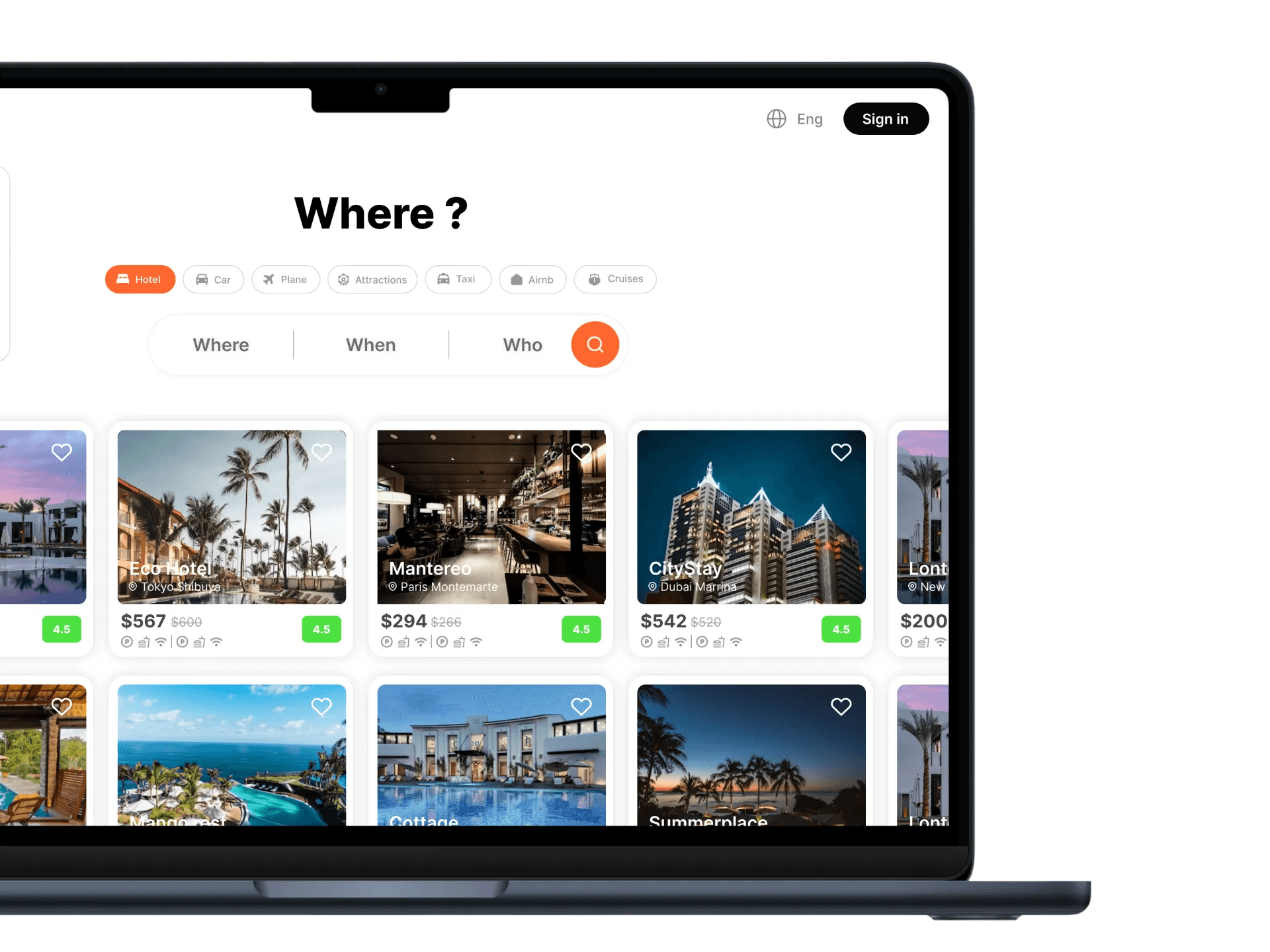
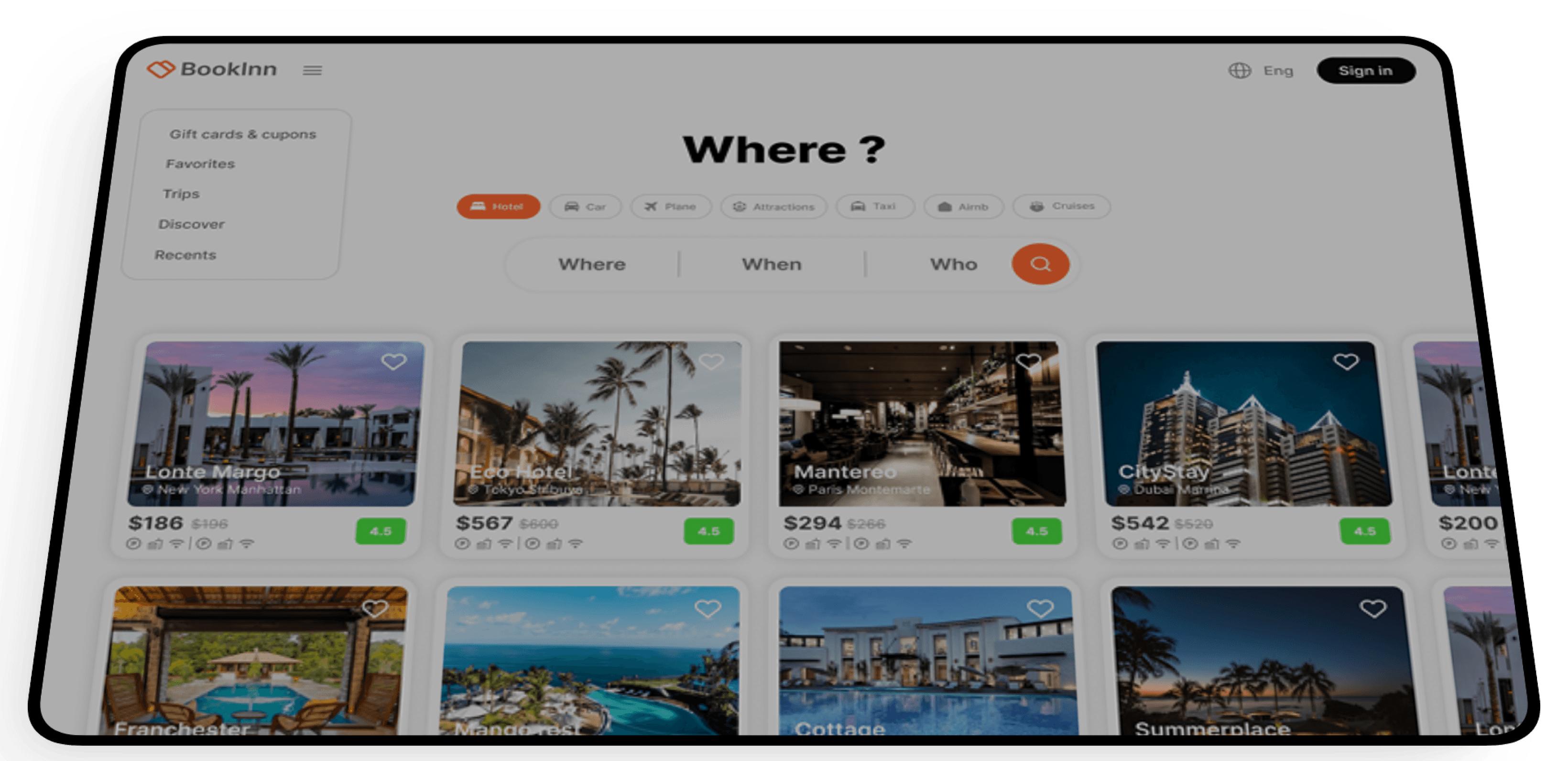
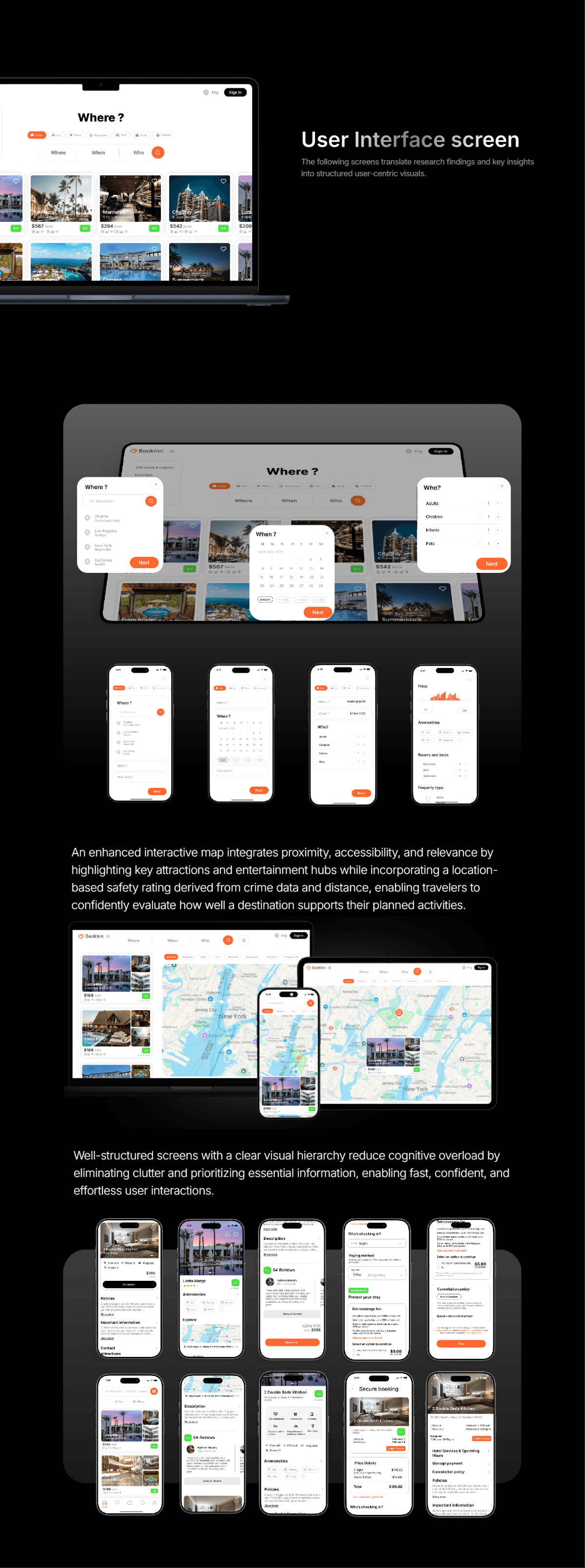
User Interface screen
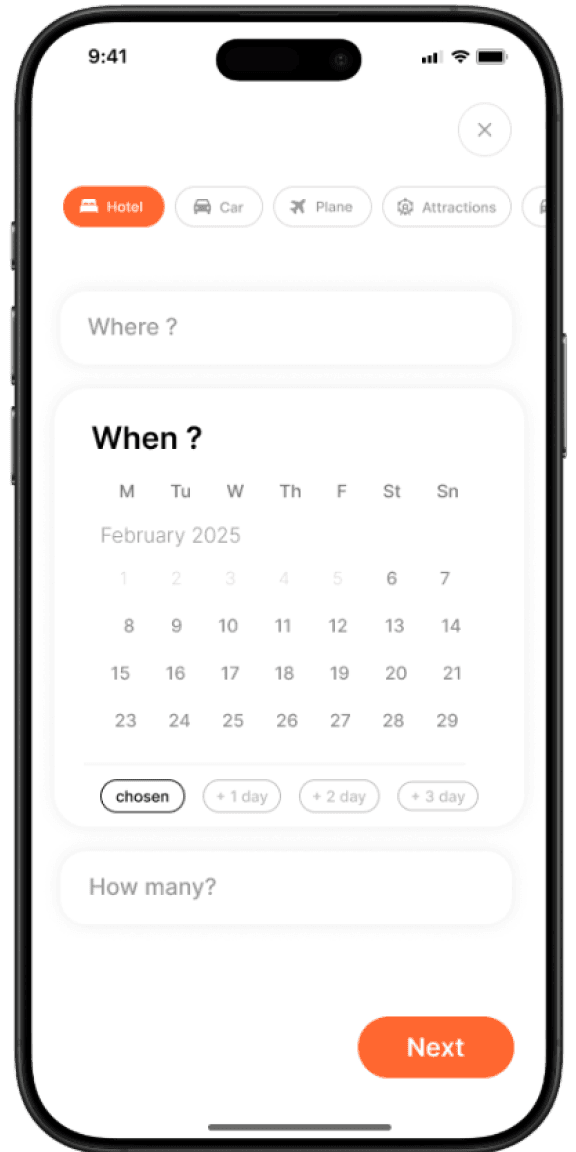
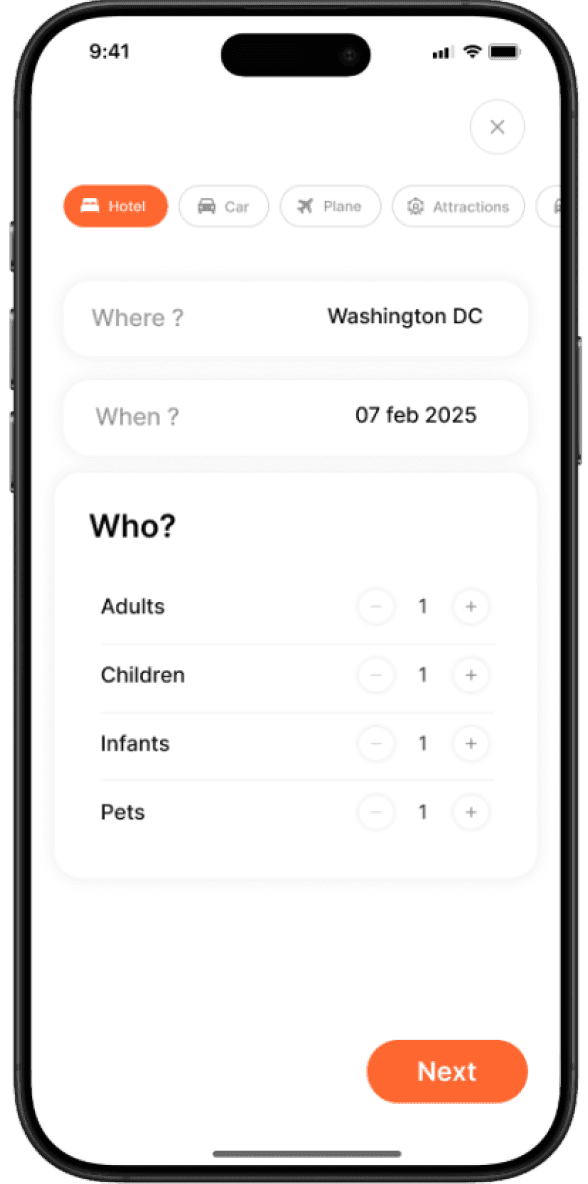
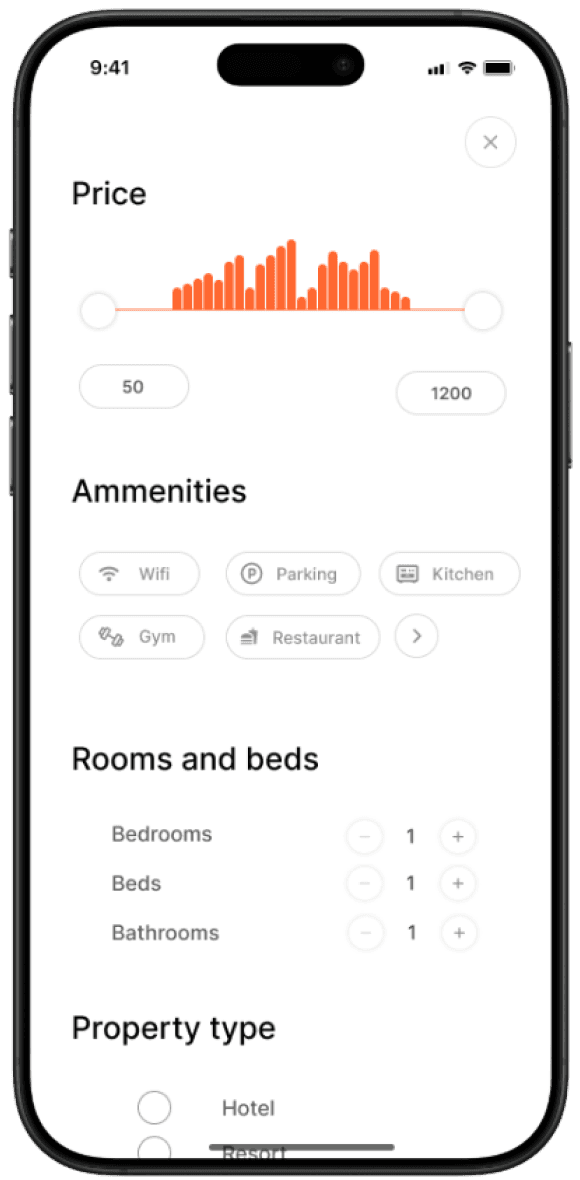
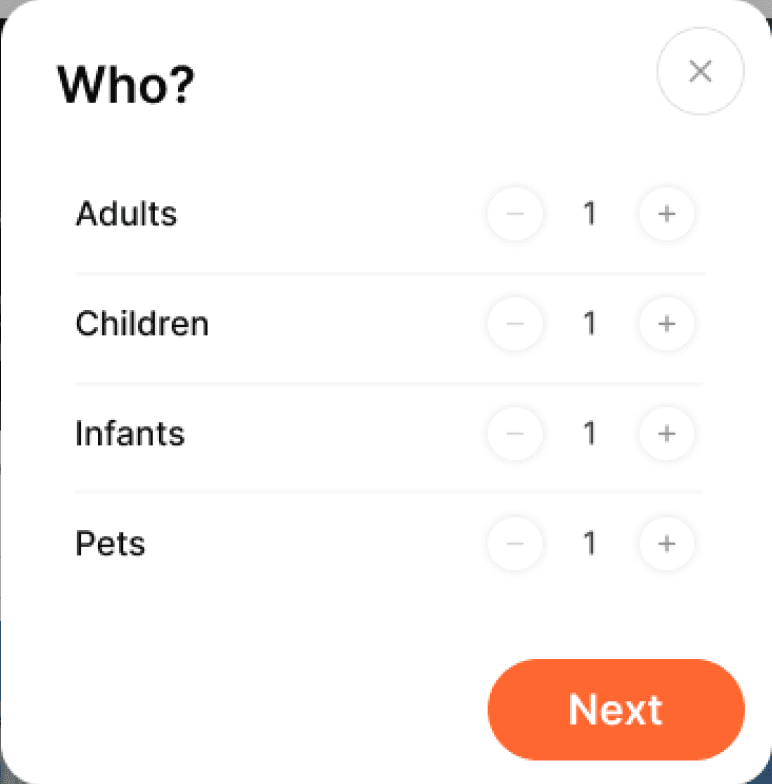
The following screens translate research findings and key insights into structured user-centric visuals.
Well-structured screens with a clear visual hierarchy reduce cognitive overload by eliminating clutter and prioritizing essential information, enabling fast, confident, and effortless user interactions.
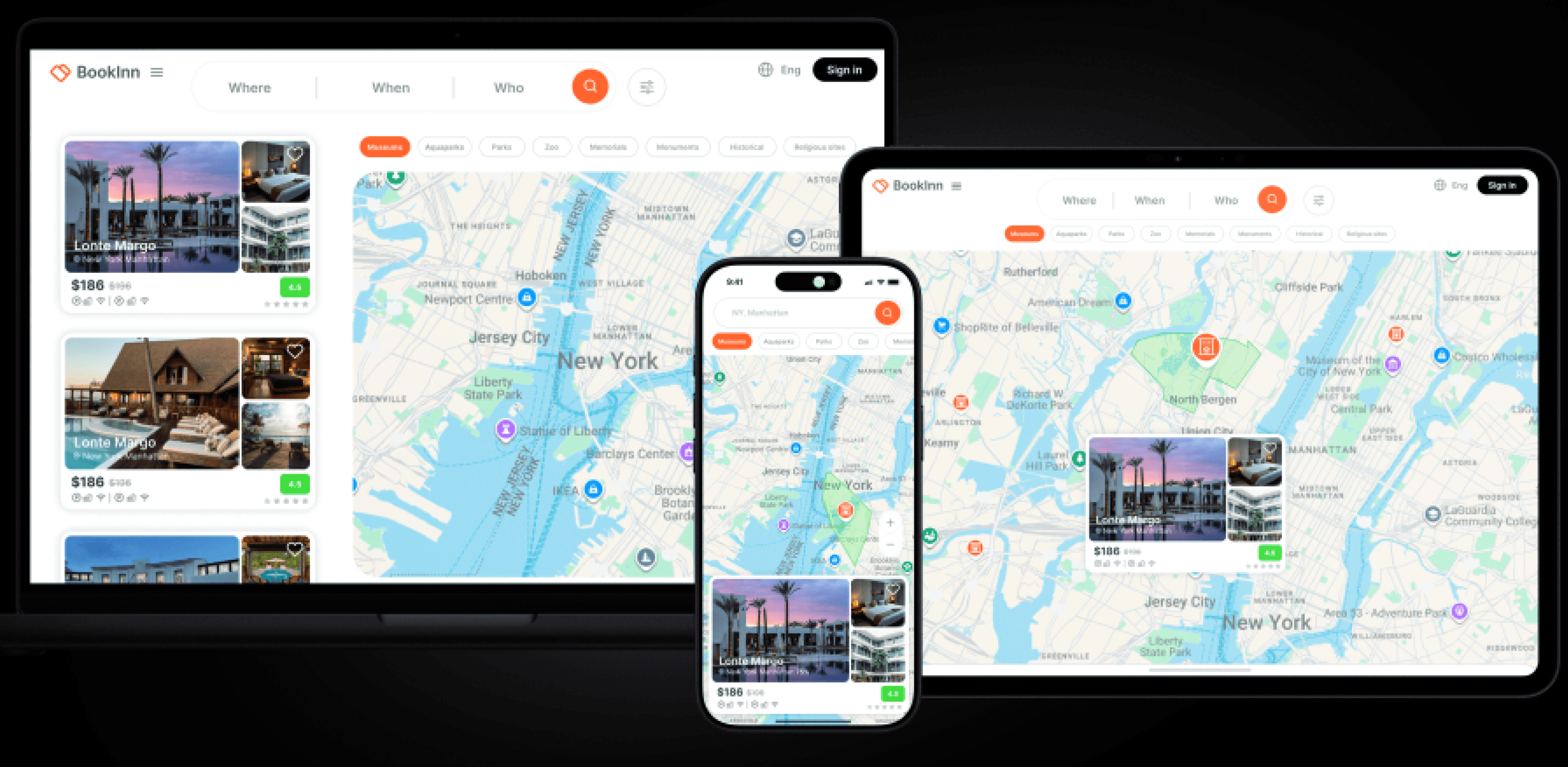
An enhanced interactive map integrates proximity, accessibility, and relevance by highlighting key attractions and entertainment hubs while incorporating a location-based safety rating derived from crime data and distance, enabling travelers to confidently evaluate how well a destination supports their planned activities.
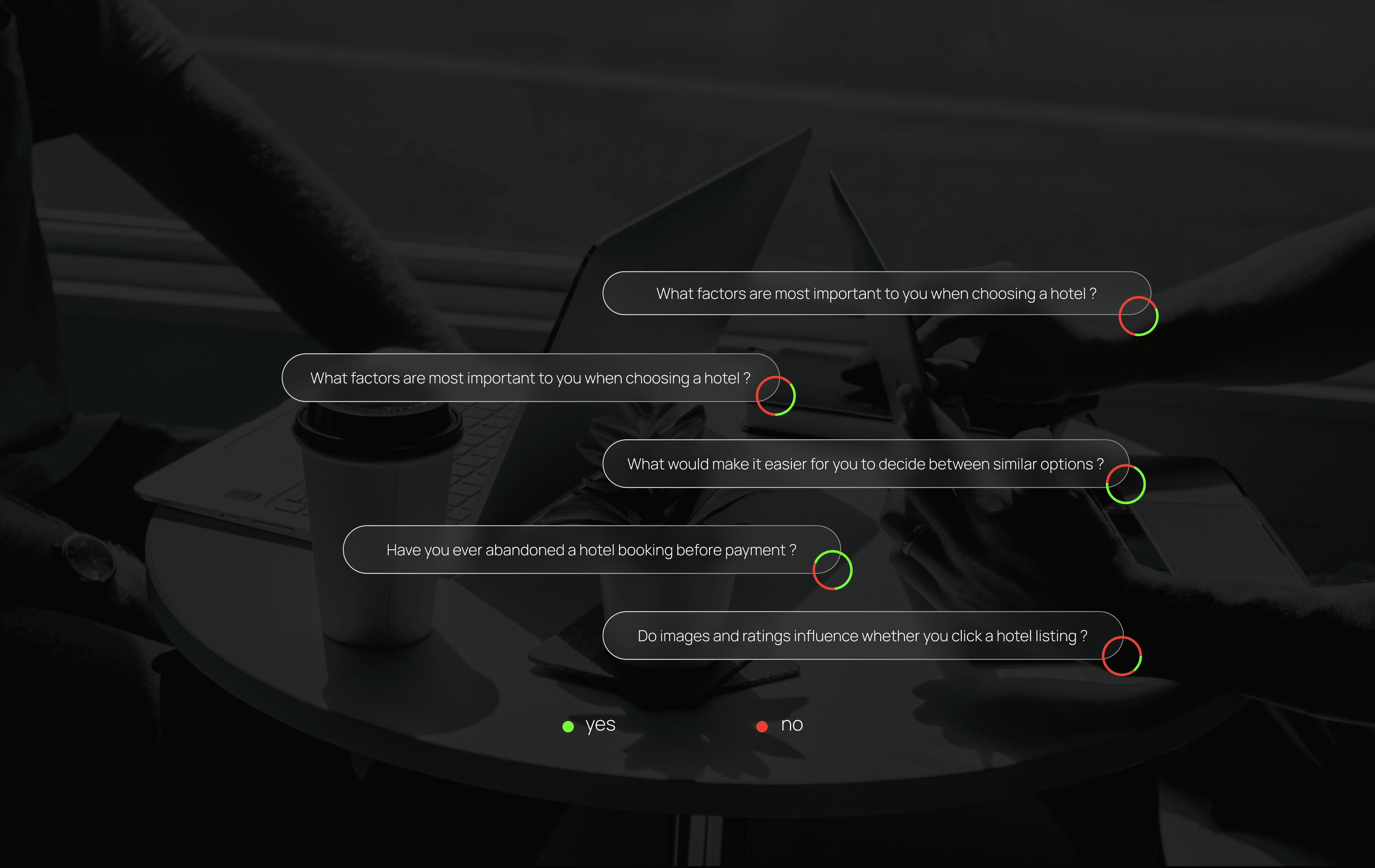
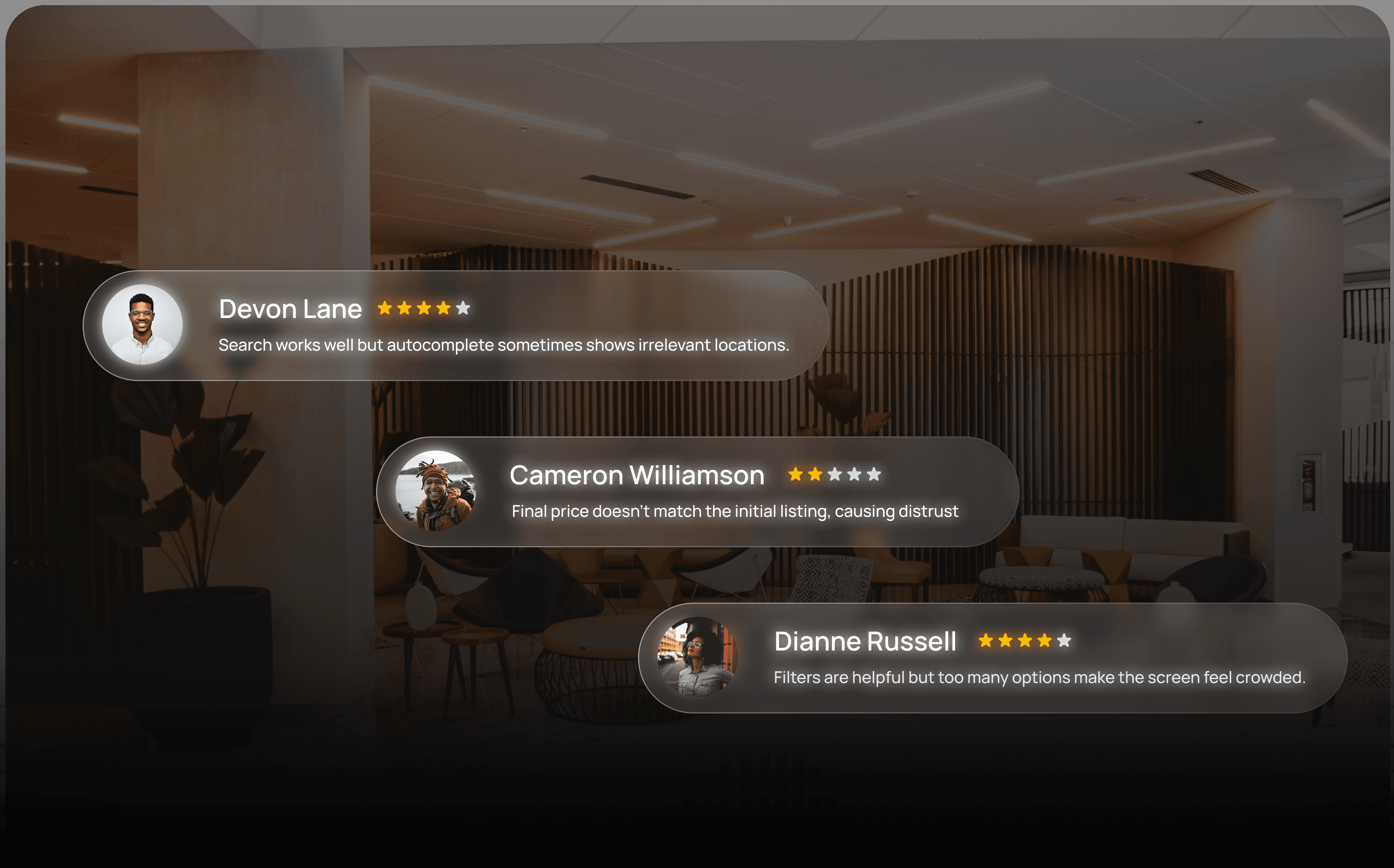
Qualitative research
Qualitative research examines user motivations and pain points through interviews and observations, providing deeper insight that shapes intuitive, human-centered experiences.
Empathy map
An empathy map visualizes what users say, think, do, and feel, helping the team understand emotional drivers and frustrations to design a clearer, more trustworthy booking experience.
Does
Feels
thinks
Says
“I want to find a reliable place that actually fits my needs.”
“Can I trust these reviews?”
“Why are there so many additional fees?”
“Is the location safe and convenient?”
“I want to find a reliable place that actually fits my needs.”
“Can I trust these reviews?”
“Why are there so many additional fees?”
“Is the location safe and convenient?”
“I want to find a reliable place that actually fits my needs.”
“Can I trust these reviews?”
“Why are there so many additional fees?”
“Is the location safe and convenient?”
“I want to find a reliable place that actually fits my needs.”
“Can I trust these reviews?”
“Why are there so many additional fees?”
“Is the location safe and convenient?”
Design process
User-centered workflow for researching, ideating, prototyping, and refining digital products.
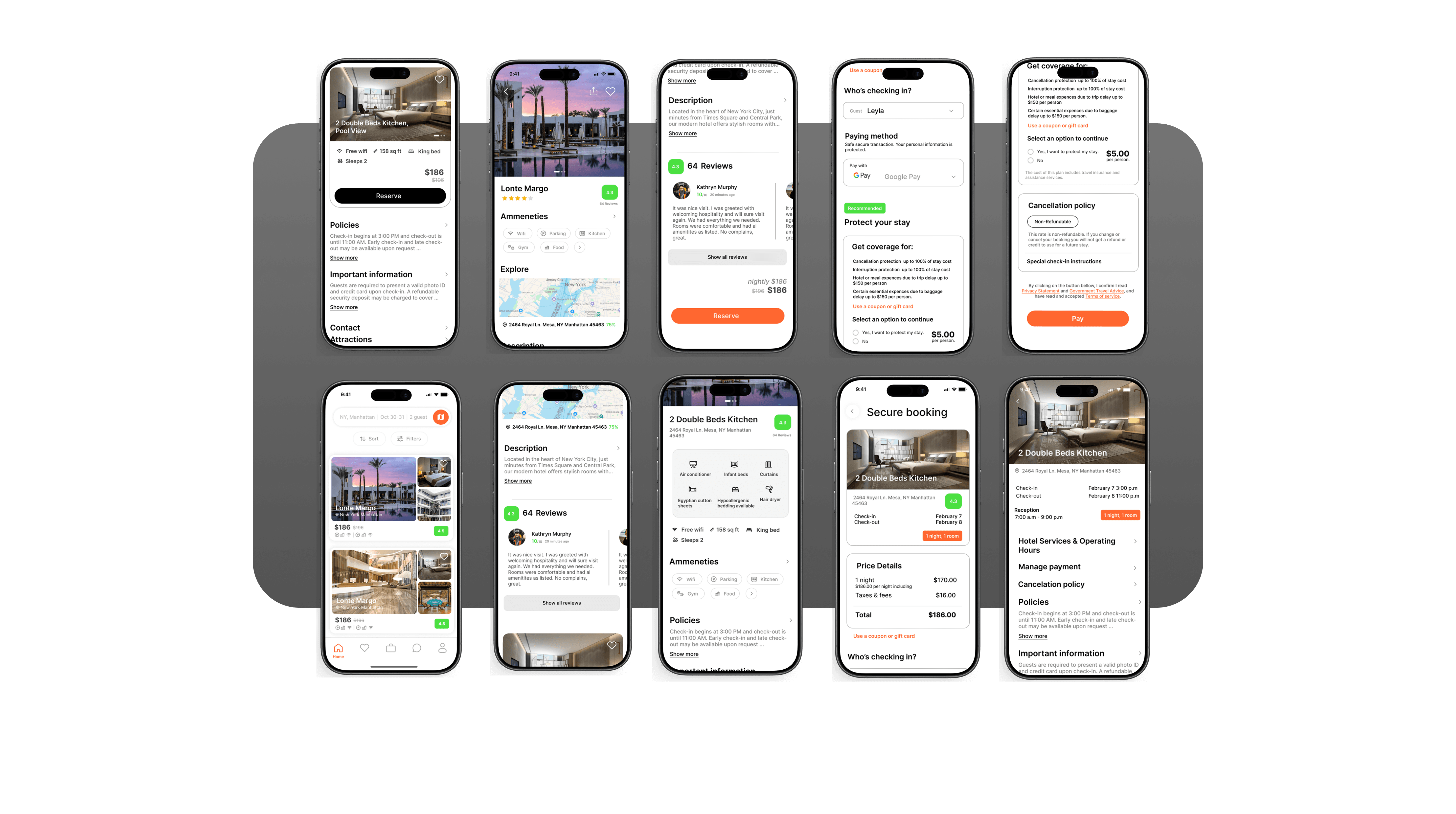
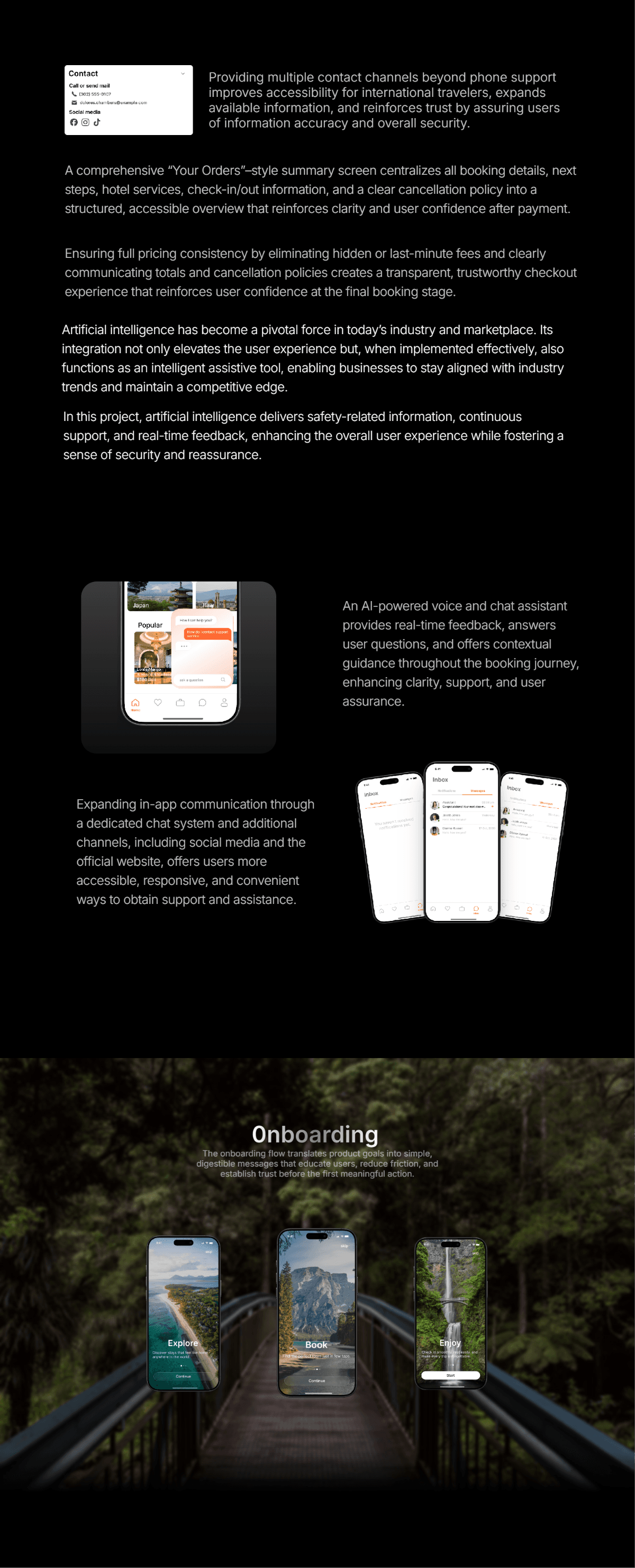
A comprehensive “Your Orders”–style summary screen centralizes all booking details, next steps, hotel services, check-in/out information, and a clear cancellation policy into a structured, accessible overview that reinforces clarity and user confidence after payment.
Ensuring full pricing consistency by eliminating hidden or last-minute fees and clearly communicating totals and cancellation policies creates a transparent, trustworthy checkout experience that reinforces user confidence at the final booking stage.

Providing multiple contact channels beyond phone support improves accessibility for international travelers, expands available information, and reinforces trust by assuring users of information accuracy and overall security.
Artificial intelligence has become a pivotal force in today’s industry and marketplace. Its integration not only elevates the user experience but, when implemented effectively, also functions as an intelligent assistive tool, enabling businesses to stay aligned with industry trends and maintain a competitive edge.
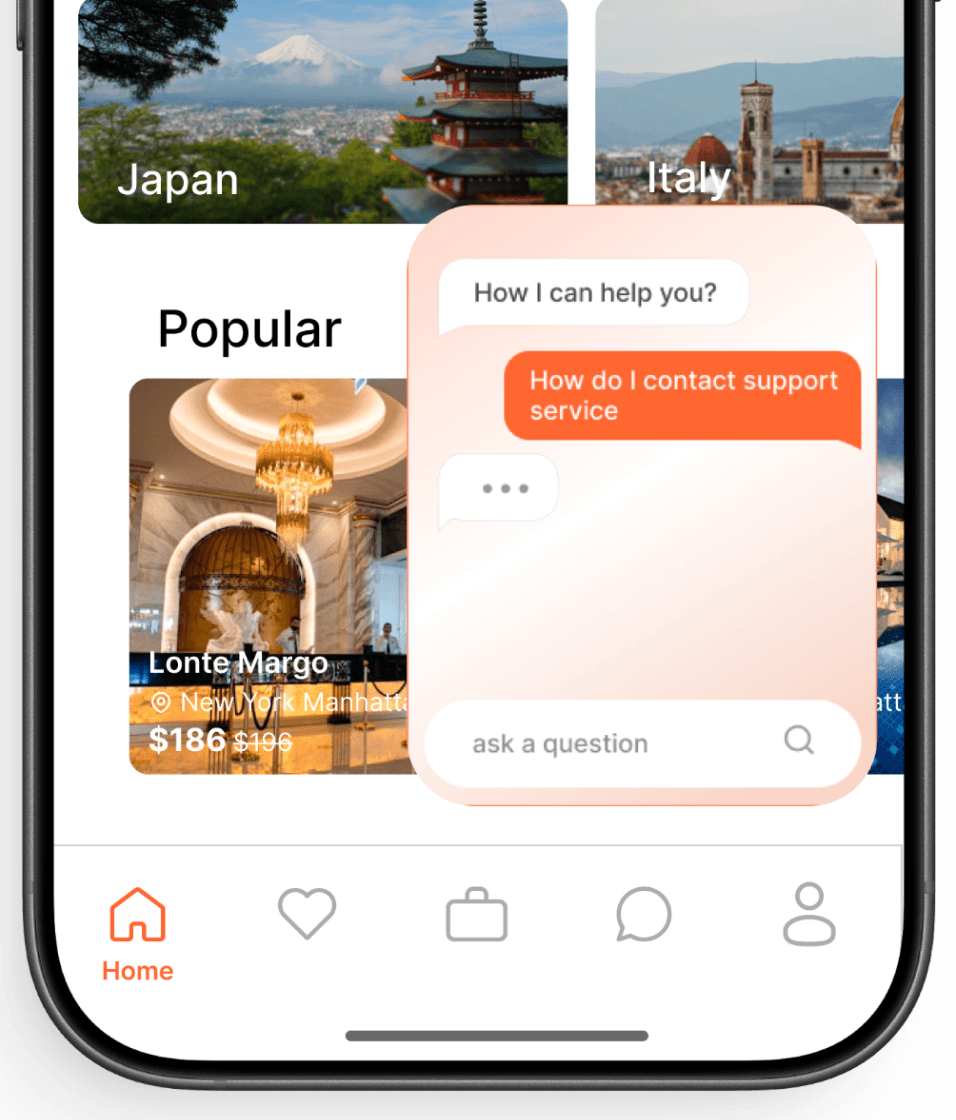
In this project, artificial intelligence delivers safety-related information, continuous support, and real-time feedback, enhancing the overall user experience while fostering a sense of security and reassurance.

BookInn
Streamlines hotel discovery and booking into one, fast, intuitive and reliable experience

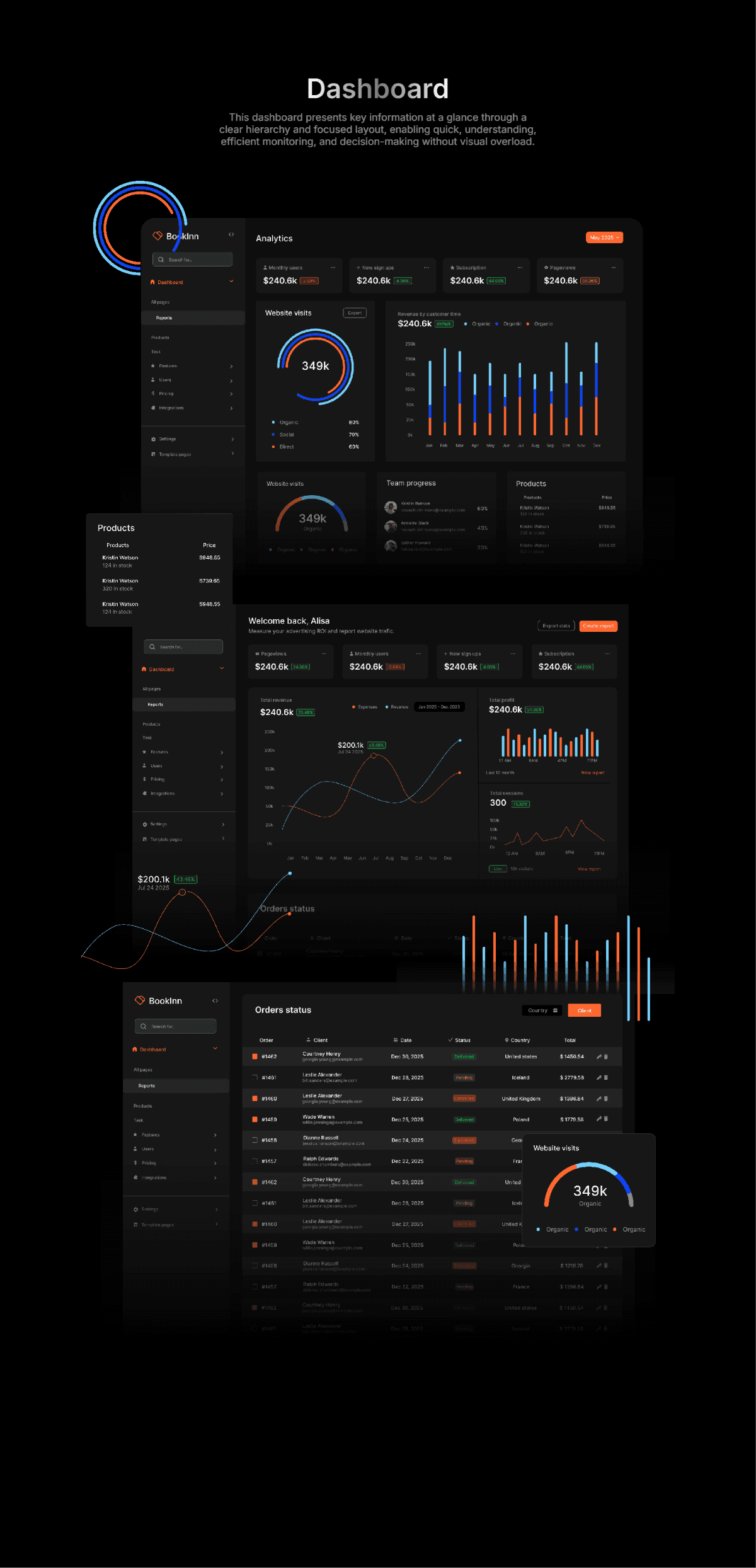
Dashboard
This dashboard presents key information at a glance through a clear hierarchy and focused layout, enabling quick, understanding, efficient monitoring, and decision-making without visual overload.
An AI-powered voice and chat assistant provides real-time feedback, answers user questions, and offers contextual guidance throughout the booking journey, enhancing clarity, support, and user assurance.
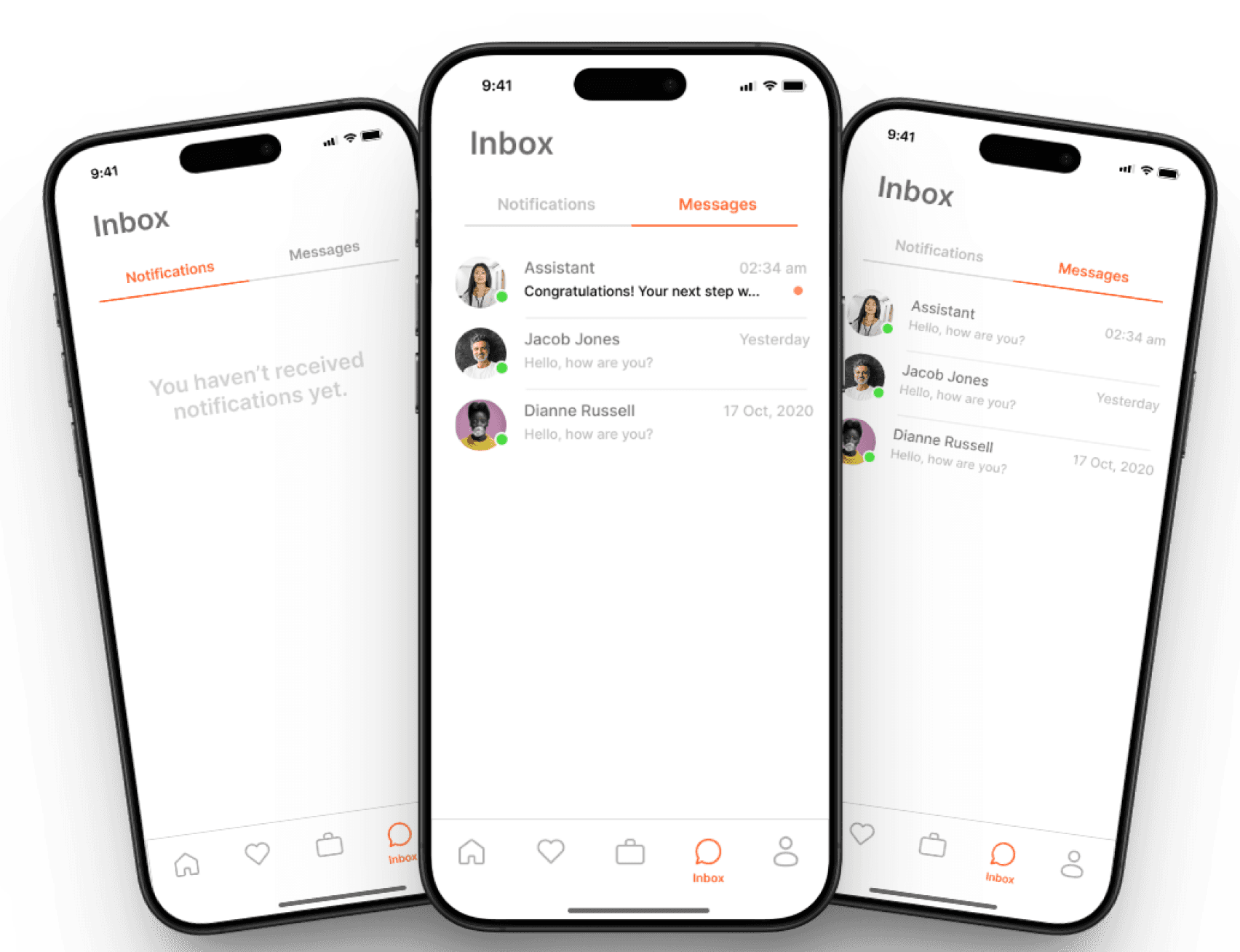
Expanding in-app communication through a dedicated chat system and additional channels, including social media and the official website, offers users more accessible, responsive, and convenient ways to obtain support and assistance.
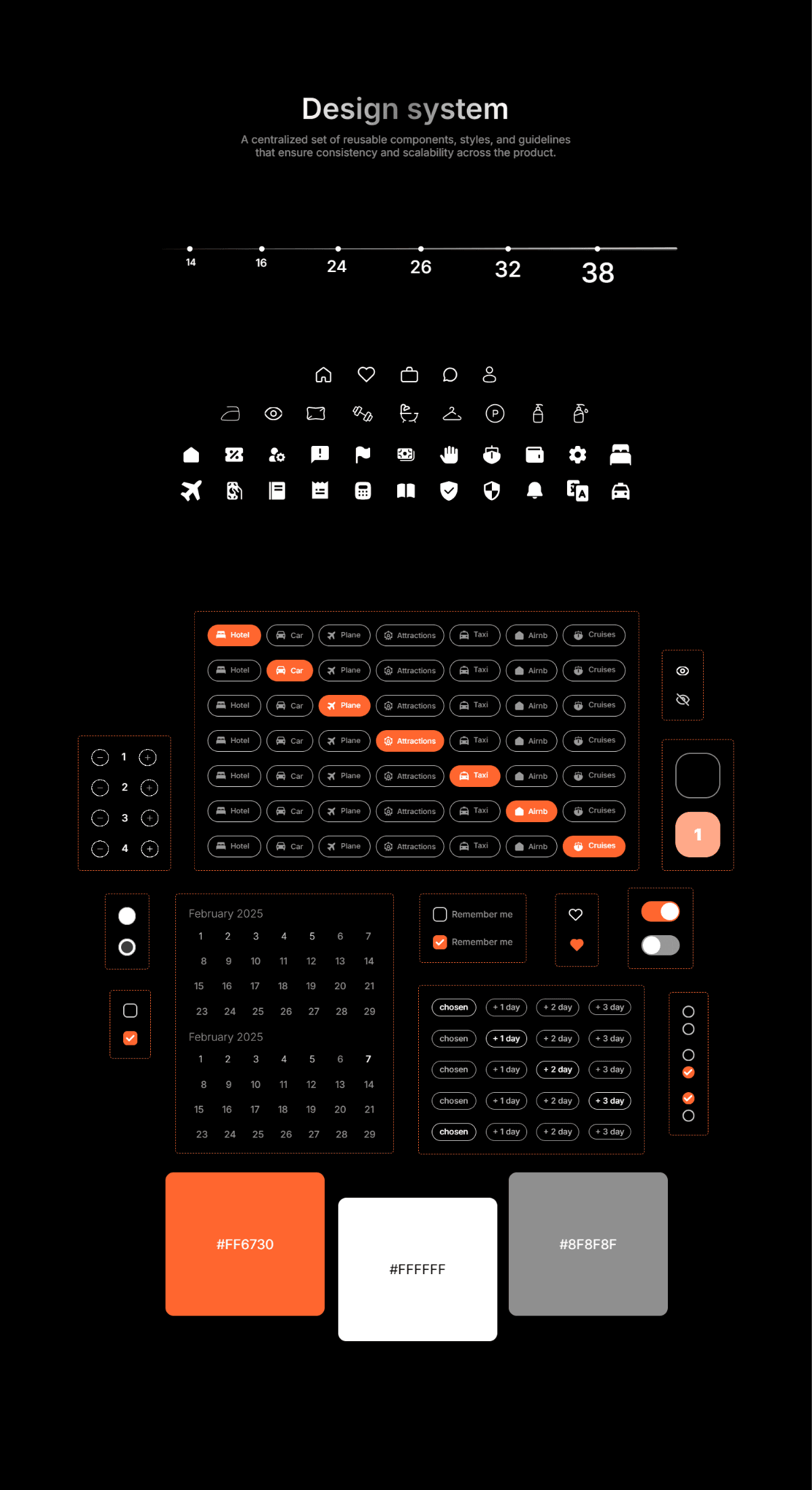
A centralized set of reusable components, styles, and guidelines that ensure consistency and scalability across the product.
Hotel
Car
Plane
Attractions
Taxi
Airnb
Cruises
Hotel
Car
Plane
Attractions
Taxi
Airnb
Cruises
Hotel
Car
Plane
Attractions
Taxi
Airnb
Cruises
Hotel
Car
Plane
Attractions
Taxi
Airnb
Cruises
Hotel
Car
Plane
Attractions
Taxi
Airnb
Cruises
Hotel
Car
Plane
Attractions
Taxi
Airnb
Cruises
Hotel
Car
Plane
Attractions
Taxi
Airnb
Cruises
1
2
3
4
1
chosen
+ 3 day
+ 2 day
+ 1 day
chosen
+ 3 day
+ 2 day
+ 1 day
chosen
+ 3 day
+ 2 day
+ 1 day
chosen
+ 3 day
+ 2 day
+ 1 day
chosen
+ 3 day
+ 2 day
+ 1 day
1
2
3
4
5
6
7
8
9
10
11
12
13
14
15
16
17
18
19
20
21
23
24
25
26
27
28
29
February 2025
1
2
3
4
5
6
7
8
9
10
11
12
13
14
15
16
17
18
19
20
21
23
24
25
26
27
28
29
February 2025
Remember me
Remember me
16
14
24
26
32
38
#FF6730
#FFFFFF
#8F8F8F
Design system

0nboarding
The onboarding flow translates product goals into simple, digestible messages that educate users, reduce friction, and establish trust before the first meaningful action.
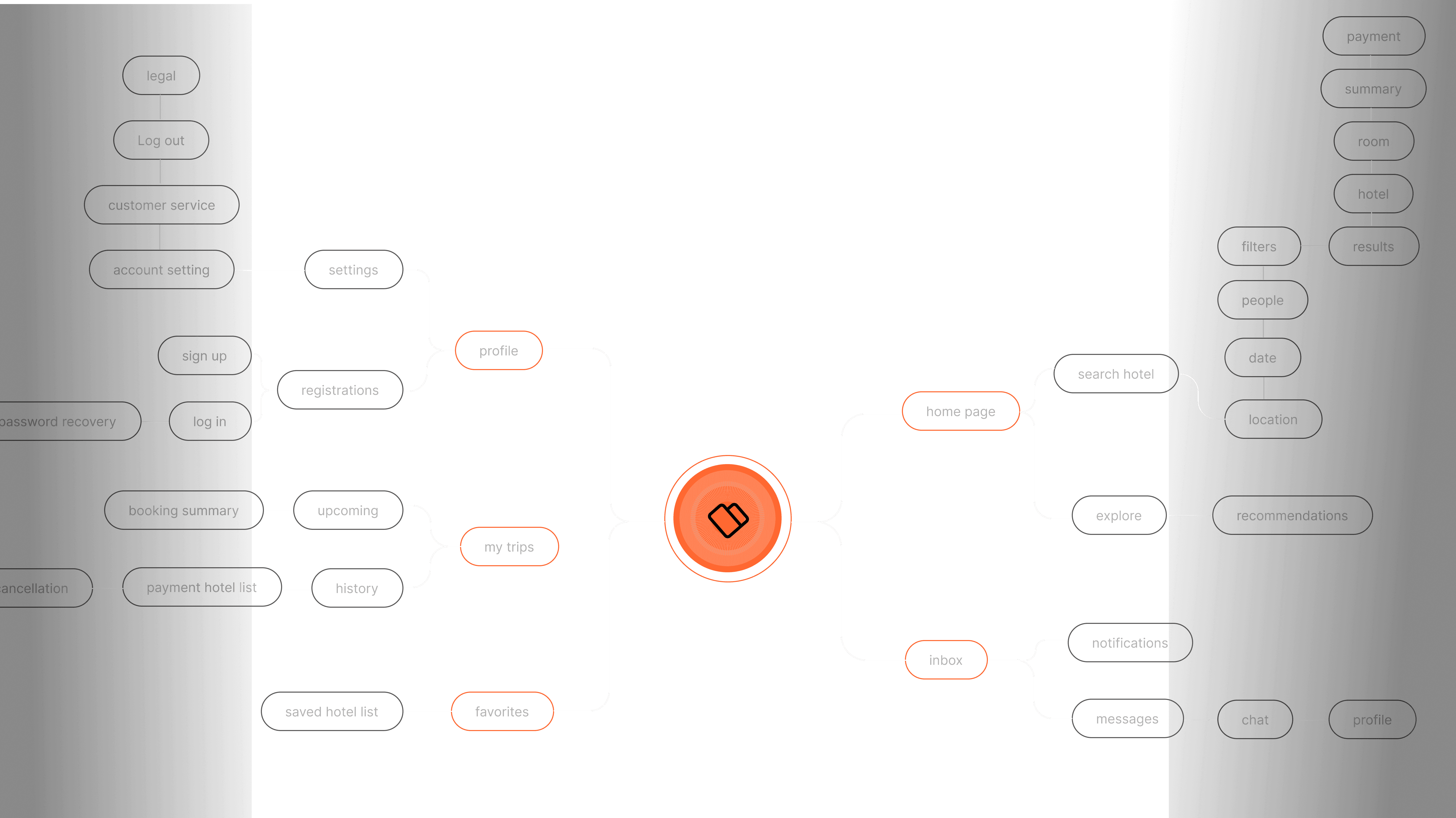
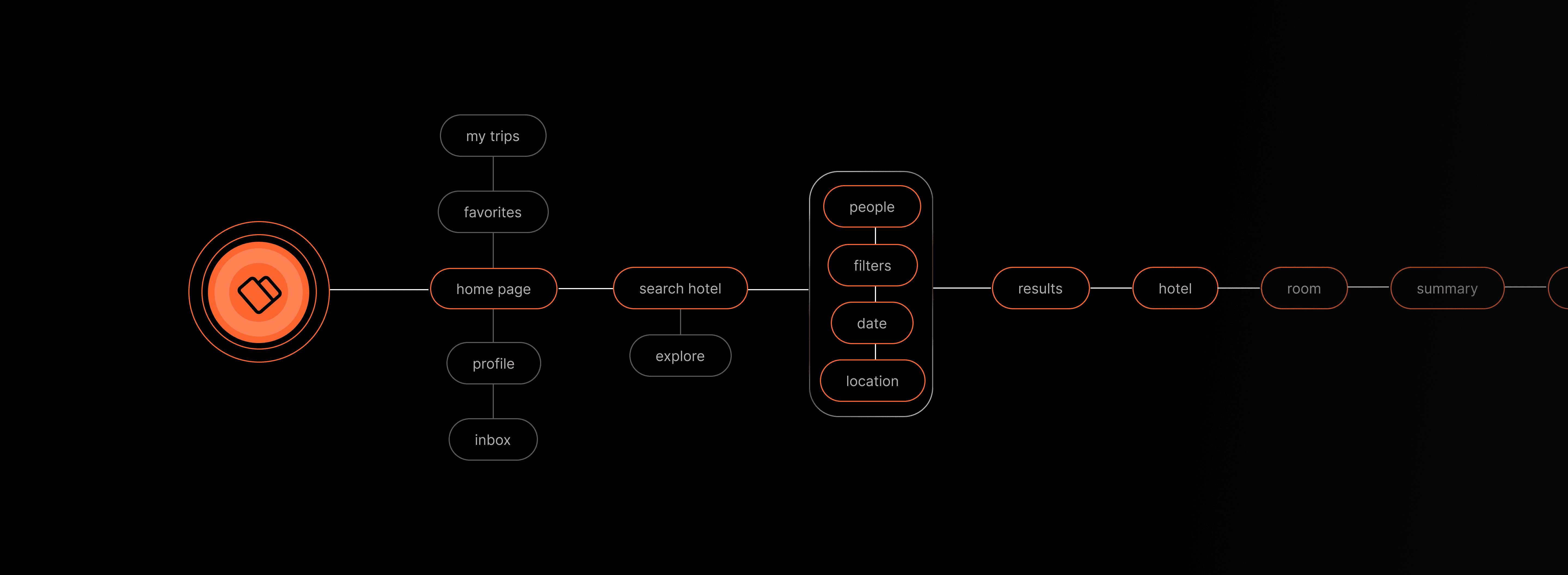
Site map
A visual representation of structure, showcasing the hierarchy and relationship between our screens.
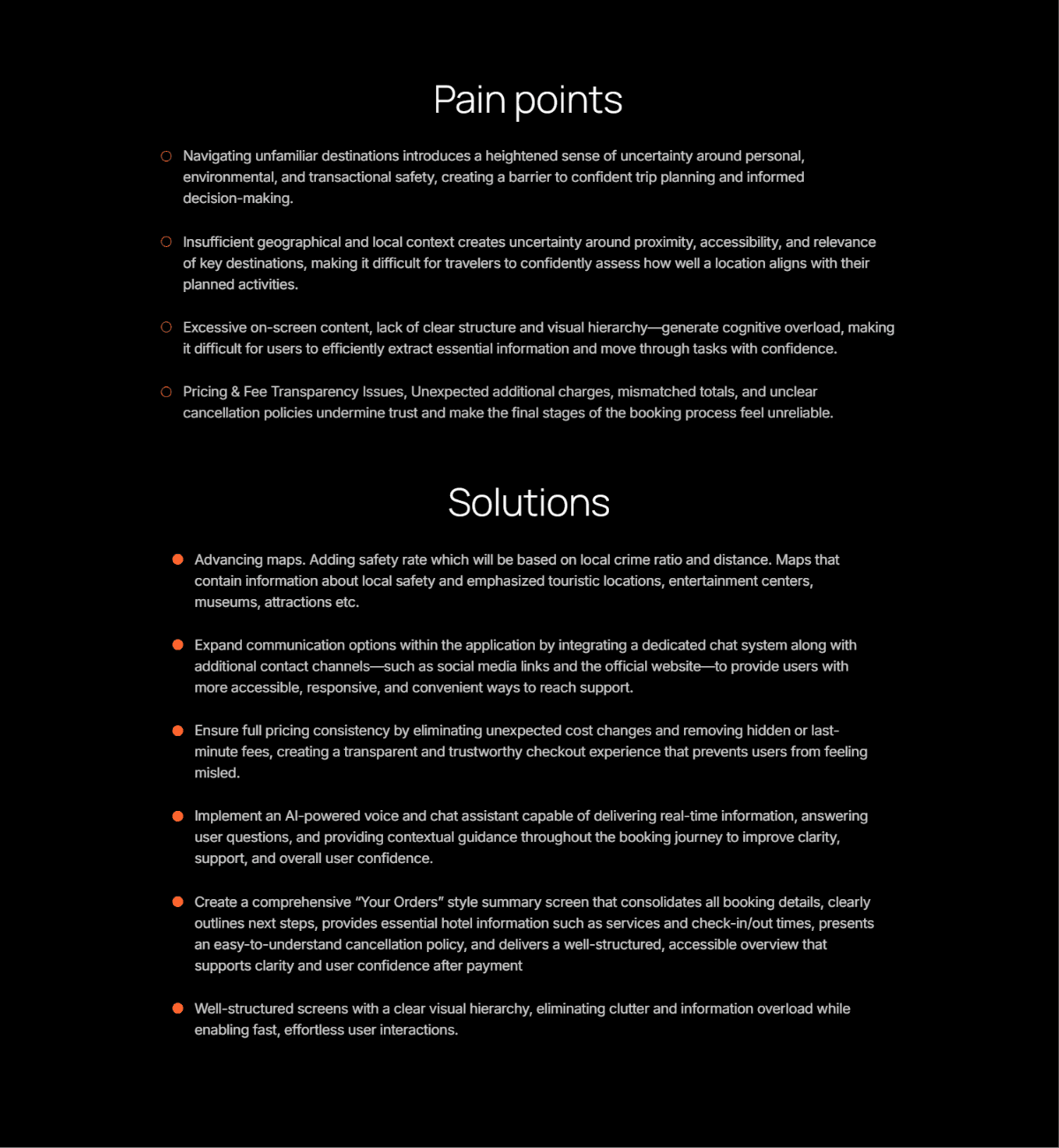
Pain points
Solutions
Navigating unfamiliar destinations introduces a heightened sense of uncertainty around personal, environmental, and transactional safety, creating a barrier to confident trip planning and informed decision-making.
Insufficient geographical and local context creates uncertainty around proximity, accessibility, and relevance of key destinations, making it difficult for travelers to confidently assess how well a location aligns with their planned activities.
Excessive on-screen content, lack of clear structure and visual hierarchy—generate cognitive overload, making it difficult for users to efficiently extract essential information and move through tasks with confidence.
Pricing & Fee Transparency Issues, Unexpected additional charges, mismatched totals, and unclear cancellation policies undermine trust and make the final stages of the booking process feel unreliable.
Advancing maps. Adding safety rate which will be based on local crime ratio and distance. Maps that contain information about local safety and emphasized touristic locations, entertainment centers, museums, attractions etc.
Expand communication options within the application by integrating a dedicated chat system along with additional contact channels—such as social media links and the official website—to provide users with more accessible, responsive, and convenient ways to reach support.
Ensure full pricing consistency by eliminating unexpected cost changes and removing hidden or last-minute fees, creating a transparent and trustworthy checkout experience that prevents users from feeling misled.
Implement an AI-powered voice and chat assistant capable of delivering real-time information, answering user questions, and providing contextual guidance throughout the booking journey to improve clarity, support, and overall user confidence.
Create a comprehensive “Your Orders” style summary screen that consolidates all booking details, clearly outlines next steps, provides essential hotel information such as services and check-in/out times, presents an easy-to-understand cancellation policy, and delivers a well-structured, accessible overview that supports clarity and user confidence after payment
Well-structured screens with a clear visual hierarchy, eliminating clutter and information overload while enabling fast, effortless user interactions.
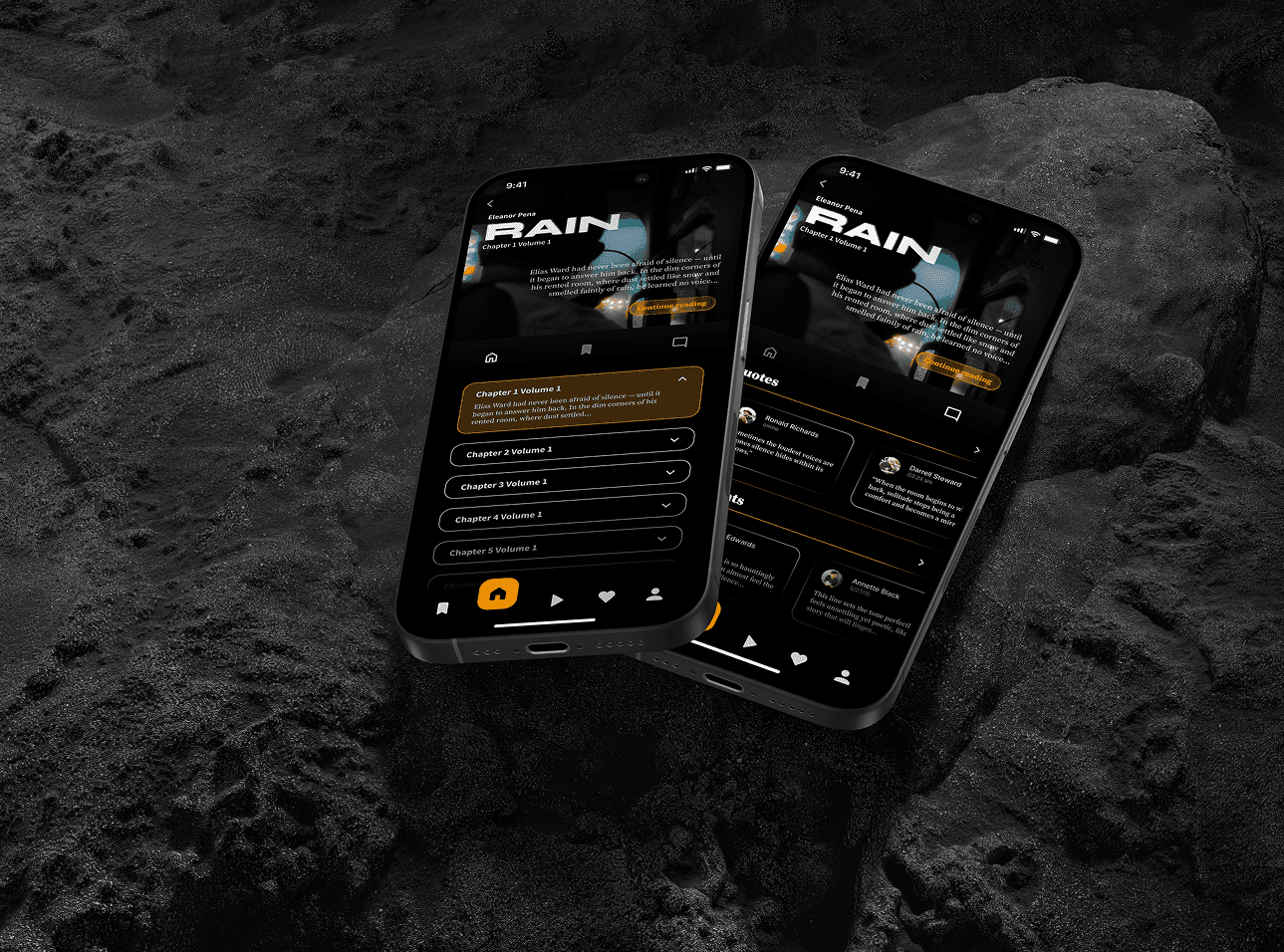
Read.y
Mobile app, UI
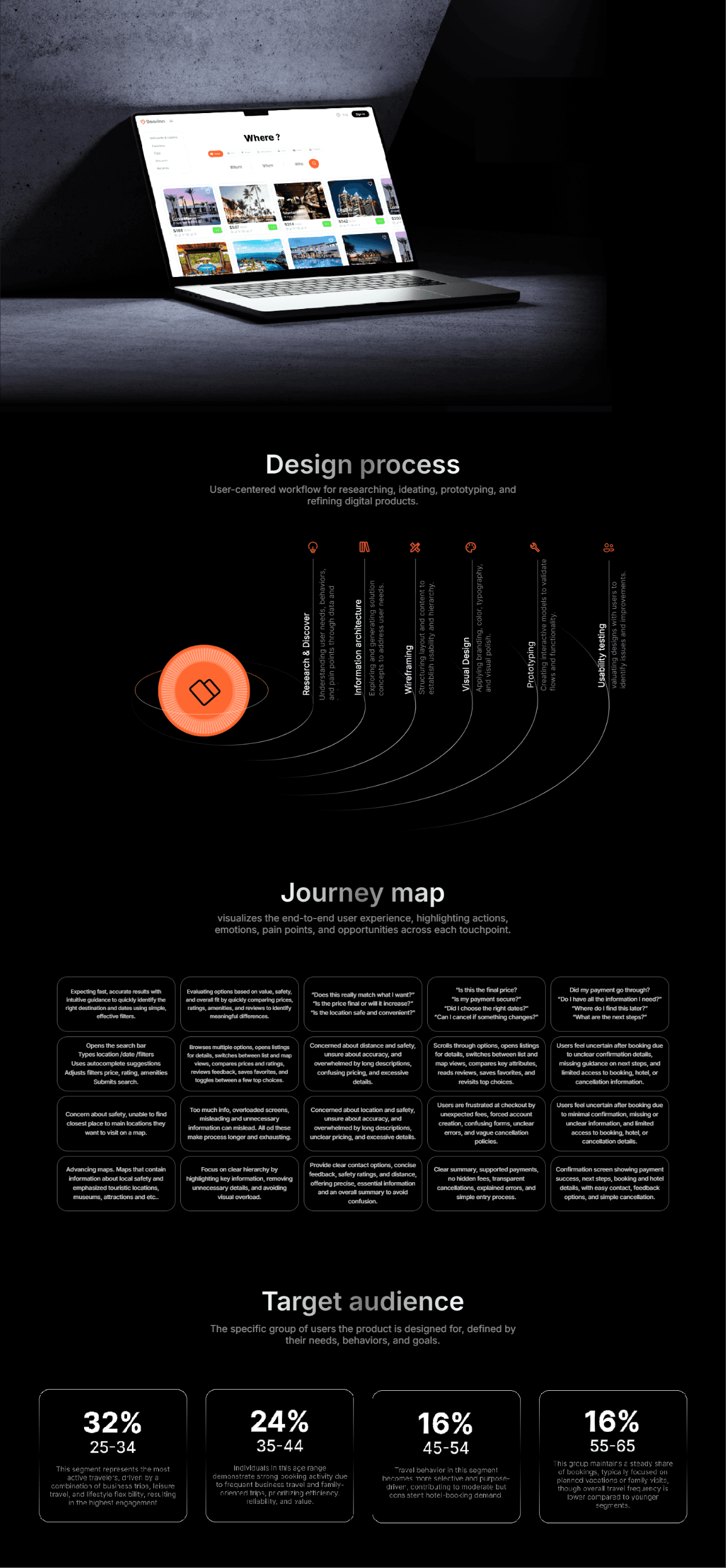
BookInn
Streamlines hotel discovery and booking into one, fast, intuitive and reliable experience
BookInn
Streamlines hotel discovery and booking into one, fast, intuitive and reliable experience
Read.y
Mobile app, UI
Read.y
Mobile app, UI